OpenClaw Is Going Viral. Here’s The #1 Use Case and 35 Ways People Automate Work and Life With It
 Daniel Levi
Posted On February 12, 2026
Daniel Levi
Posted On February 12, 2026
OpenClaw didn’t ease its way into public view. It erupted. The project launched on January 25 as Claudebot. Two days later, an Anthropic trademark notice landed. Within hours, the name changed to Moltbot. Another rebrand followed days later, this time to OpenClaw, after a Discord poll put the decision in the community’s hands. Three days. Three names. One signal that something unexpected was taking shape.
What pushed OpenClaw into the spotlight wasn’t branding chaos. It was a capability.
OpenClaw is an open-source autonomous AI agent designed to perform real-world tasks. It runs locally, connects to external large language models like Claude, DeepSeek, or OpenAI’s GPT, and operates through familiar messaging apps such as Telegram, Signal, Discord, or WhatsApp. Configuration data and interaction history stay on the user’s machine, allowing the agent to act consistently across sessions without routing everything through a central service.
Steinberger, the project’s creator, describes OpenClaw as “an AI that actually does things.” That framing stuck. Unlike chat tools that stop at answers, OpenClaw executes. When connected to calendars, email, file systems, or a terminal, it creates files, sends messages, runs commands, and updates systems with minimal human involvement.
How People Are Actually Using OpenClaw
Some users run it on personal machines, such as desktops or Mac minis. Others host it on servers to keep agents running around the clock. The server route unlocks scheduled briefs, continuous monitoring, and background jobs that run long after the user logs off. It also gives users direct control over data, uptime, and integrations, without passing requests through third-party infrastructure.
That access cuts both ways. An agent with system permissions and API keys can break things just as easily as it fixes them. Guardrails, limits, and careful configuration matter as much as flexibility.
Two weeks after launch, OpenClaw crossed 145,000 GitHub stars, surged past 20,000 forks, and attracted more than 100,000 users willing to grant an autonomous agent access to parts of their digital lives. By early February, it even landed a spot during the Super Bowl, an unlikely milestone for an open-source AI project.
The broader story around AI agents often swings between extremes. Either they work flawlessly, or they fail in dramatic fashion. Reality sits in between. The same agent architecture can save someone $4,200 on a car purchase one week and flood a contact list the next. OpenClaw sits squarely in that tension and is now the fastest-growing open AI project to date.
Community data points to a clear leader among use cases.
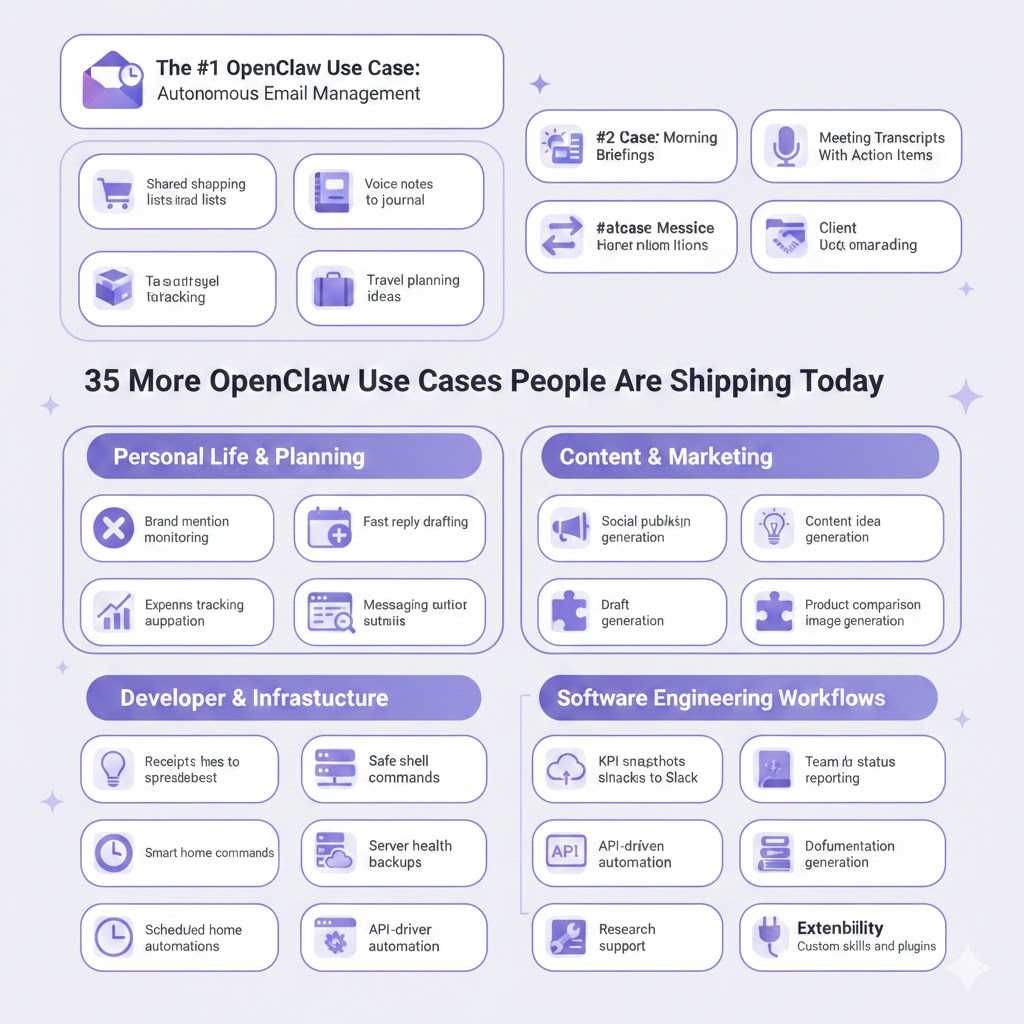
A snapshot of common OpenClaw workflows, spanning communication, planning, development, and daily routines.
The #1 OpenClaw Use Case: Autonomous Email Management
Email didn’t become overwhelming overnight. It broke slowly, one notification at a time.
What pushed OpenClaw into daily use for so many people wasn’t creative writing or clever replies. It was the promise of taking inbox control away from humans altogether. According to community data, autonomous email management is the most common way people deploy OpenClaw, and the reason is practical: email quietly consumes hours every week without producing much value.
Most users don’t want help writing emails. They want fewer emails to deal with in the first place.
OpenClaw approaches the inbox as a system, not a conversation. Once connected to an email account, agents monitor incoming messages, unsubscribe from repeat senders, group threads by urgency, summarize long exchanges, and prepare draft responses for review. Some users run agents that process thousands of messages a day, then surface a short list that actually needs attention.
The workflow usually starts small. Many users give OpenClaw access to a single label or folder before widening the scope. Over time, patterns emerge. Newsletters go straight to the archive. Receipts get logged. Calendar invites get flagged. Messages that need a human reply rise to the top with a short summary attached.
What makes this different from inbox rules or filters is persistence. OpenClaw keeps context across sessions. It remembers which senders matter, which threads tend to resolve themselves, and which ones usually turn into work. Instead of checking email every few minutes, users let an agent run in the background and check in only when needed.
People run these agents locally or on personal servers. Server setups are common for email because they allow frequent checks without tying up a personal machine. Scheduled runs handle overnight cleanup, while daytime runs keep urgent items visible. Every action is logged, and many users keep sending disabled, using OpenClaw strictly for preparation and triage.
That restraint is intentional. Email agents with full send permissions can cause damage if misconfigured. The community leans toward human review, rate limits, and narrow scopes. The goal isn’t zero involvement. It’s fewer interruptions.
Across thousands of setups, the outcome looks the same. The inbox stops feeling endless. Email returns to a queue, not a constant presence. For many users, that alone justifies running an autonomous agent.
The #2 Use Case: Morning Briefings
Morning briefings are the second most common OpenClaw setup, and they follow a simple rule: one message, only what matters.
These agents run on a schedule, usually early in the morning. They pull upcoming calendar events, local weather, priority emails, GitHub notifications, and selected news sources. The output is sent to a chat app like Telegram, WhatsApp, or Signal.
Instead of opening five apps, users read one short summary. No feeds. No scrolling. Just enough context to start the day informed.
The #3 Use Case: Meeting Transcripts With Action Items
Meeting recordings are easy to collect and hard to revisit. OpenClaw fills that gap by turning raw audio into usable output.
Users upload a recording and receive a clear summary, a list of decisions, and action items with owners and deadlines. The result is something teams can act on immediately, without rewatching or guessing what mattered.
For remote teams, this has become a default post-meeting step.
35 Ways People Are Using OpenClaw to Automate Work and Life
Beyond email and morning briefings, OpenClaw is already running quietly across daily routines, work setups, and personal systems. These are real use cases people are deploying right now, many of them small on their own, but meaningful in aggregate.
Personal life and planning
-
Shared shopping lists from chat messages — captures grocery mentions from household chats and keeps a live, deduped list
-
Voice notes into a daily journal — turns short recordings into structured entries each evening
-
Package tracking dashboard — pulls tracking numbers from emails and watches delivery status
-
Travel planning and itineraries — builds trip plans from preferences, budgets, and constraints
-
Recipe ideas and weekly meal plans — generates meals and a combined grocery list
Calendar, messages, and admin
-
Auto-scheduling events from emails and messages — detects dates and adds events with conflict checks
-
Fast reply drafting for community support — prepares responses for Discord, forums, and comments
-
Messaging automation — routes, schedules, and templates for replies across chat apps
-
Client onboarding workflows — creates folders, sends welcome emails, and schedules kickoff calls
Content and marketing
-
Brand mention monitoring on X — tracks mentions, sentiment, and posts that need replies
-
Social publishing support — schedules posts and summarizes engagement
-
Content idea generation — produces angles, outlines, and hooks on demand
-
Draft generation from outlines — expands bullet points into usable first drafts
-
Post repurposing across platforms — adapts one piece for multiple channels
-
On-brand image generation — creates visuals using defined style rules
Money and operations
-
Receipts to spreadsheet entries — extracts vendor, date, and amount from photos
-
Expense tracking and reports — categorizes spend and flags anomalies
-
KPI snapshots to Slack or Discord — posts scheduled metrics without dashboards
-
Product comparison research — compiles short decision-ready reports
-
Team status reporting — summarizes progress and open tasks
Home and devices
-
Smart home commands via chat — controls lights, plugs, and routines
-
Scheduled home automations — run routines without manual triggers
Developer and infrastructure
-
Safe shell commands from chat — runs approved commands with logs
-
Server health alerts — watches CPU, memory, and disk thresholds
-
Automated backups and restores — handles snapshots and recovery
-
File organization and deduping — renames, sorts, and cleans storage
-
API-driven alerts and workflows — react to external data
-
Browser automation for internal admin — handles repetitive UI tasks
Software engineering workflows
-
Codebase Q&A — answers questions about functions and dependencies
-
Documentation generation — creates API docs and usage notes
-
Refactoring support — improves structure while preserving behavior
-
Research summaries from local files — compiles reports from existing data
Extensibility
-
Custom skills and plugins — adds new integrations as needs change
What OpenClaw’s Growth Really Signals
OpenClaw didn’t spread because people wanted another AI to talk to. It spread because people wanted fewer things to manage.
Across inboxes, calendars, servers, and daily routines, the pattern stays consistent. Users aren’t chasing novelty. They’re handing off work that drains attention and doesn’t need a human in the loop.
That shift matters. Autonomous agents stop being demos once they run quietly in the background and keep working after the user signs off. OpenClaw’s rise shows what happens when that idea moves from theory into a daily habit.
Whether this model holds depends less on models and more on trust. The tools already exist. The open question is how far people are willing to let software act on their behalf.
Below is a video of how 160,000 developers are building agents with OpenClaw.